All Your Creds Are Belong To Us? How To Harden Your Passwords and Protect Your ‘Base.’

In an article published some time ago, a project led by a computer science professor at Columbia University had done some preliminary scanning of some of the largest Internet Service Providers (ISPs) in North America, Europe, and Asia and uncovered thousands of embedded devices susceptible to attack, thanks to default credentials and remote administration panels being available to the Internet.

This is amazing to us here at MSI. It is astounding that such a number of people (and possibly organizations) who don’t take into account the security implications of not changing these credentials on outward facing devices, exists! This goes beyond patching systems and having strong password policies. It’s highly unlikely you’re developing strong passwords internally if you’re not even changing what attackers know is true externally.

The fact that these devices are available is quite scary. It becomes trivial for an attacker to take over control of what is likely the only gateway in a residential network. The average user has little need to access these devices on a regular basis, so hardening the password and recording it on paper or even using a password vault like TrueCrypt is a good option for reducing the threat level. More importantly, how many home users need outside access to their gateway?

This all goes back to the common theme of being an easy target. If you let attackers see you as the low hanging fruit, you’re just asking to become a statistic. This is the digital equivalent to walking down a dangerous street at night with your head down, shoulders slumped, avoiding eye contact, and having hundred dollar bills popping out of your pockets! We can’t make it easy for them. It’s important that we make them think twice about attacking us- and simple things like changing default passwords or patching our machines (automatic updates, anyone?) allow us to take advantage of that 80% result with only 20% effort!

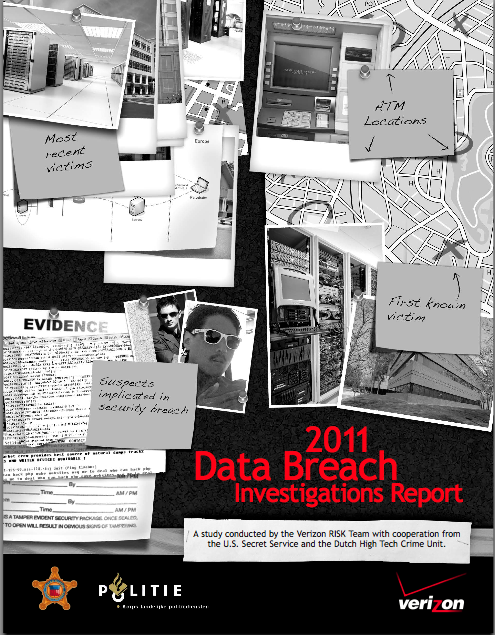
Martin McKeay Interview: Verizon Data Breach Investigations Report

I just listened to Martin McKeay’s interview with Alex Hutton and Chris Porter on the latest Verizon Data Breach Investigations Report.

It’s a good interview, with Hutton and Porter both outlining how the report compared with last year’s and what surprised them. Here’s a link to the report.

Check out the podcast, which is about 30 minutes in length. And if you can figure out what the “secret code” is on the report’s cover, let us know. We like mysteries!

Massachusetts Getting Tough On Data Breach Law

From Slashdot:

“A Massachusetts restaurant chain was the first company fined under the state’s toughest-in-the-nation data breach law, according to a statement by the Massachusetts Attorney General. The Briar Group, which owns a number of bars and restaurants in Boston, is charged with failing to protect patrons’ personal information following an April, 2009 malware infestation. It was ordered to pay $110,000 in penalties and, essentially, get its *&@! together. Among the revelations from the settlement: Briar took six months to detect and remove the data stealing malware, continuing to take credit and debit cards from patrons even after learning of the data breach, said Massachusetts Attorney General Martha Coakley.”

Full Story

This is exactly why we developed our latest addition to our HoneyPoint family of products: HoneyPoint Wasp. It is a great way to monitor Windows-based desktops with minimal fuss, decreasing help desk calls while allowing the IT department to quickly take action when malware is detected. Learn more about HoneyPoint Wasp.

Hey, You! Get Off My Secure Cloud!

Recently, the issue of cloud security came up in one of our meetings.

“USB’s are going to be a thing of the past,” quipped our CEO. At first we had the hype. Now we have the reality. More and more data is being stored in the cloud.

A recent article in PC World asks the question: Public Cloud vs. Private Cloud: Why Not Both?

…a recent Info-Tech survey shows that 76% of IT decision-makers will focus initially or, in the case of 33% of respondents, exclusively on the private cloud.

“The bulk of our clients come in thinking private. They want to understand the cloud, and think it’s best to get their feet wet within their own four walls,” says Joe Coyle, CTO at Capgemini in North America.

But experts say a better approach is to evaluate specific applications, factor in security and compliance considerations, and then decide what apps are appropriate for a private cloud, as well as what apps can immediately be shifted to the public cloud.

Last year, we noticed the trend toward “consumer use of the cloud” and how that would leak into your enterprise. Now more companies are utilizing the cloud, even building private clouds that act as gated communities.

One thing is certain. Attackers will be also looking to land on one of those clouds. Keep current with best practices by bookmarking sites like Cloud Security Alliance. Forewarned is forearmed.

Learning USB Lessons the Hard Way


I worked an incident recently that was a pretty interesting one.
The company involved has an application running on a set of Windows kiosks on a hardened, private network that though geographically diverse, is architected in such a way that no Internet access is possible at any machine or point. The kiosk machines are completely tied to a centralized web-based application at a central datacenter and that’s all the kiosk machines can talk to. Pretty common for such installs and generally, a pretty secure architecture.

The client had just chosen to install HoneyPoint and Wasp into this closed network the previous week to give them a new layer of detection and visibility into the kiosk systems since they are so far apart and physical access to them is quite difficult in some locations. The Wasp installs went fine and the product had reached the point where it was learning the baselines and humming along well. That’s when the trouble began. On Saturday, at around 5am Eastern time, Wasp identified a new application running on about 6 of the kiosk machines. The piece of code was flagged by Wasp and reported to the console. The path, name and MD5 hash did not match any of the applications the client had installed and only these 6 machines were running it, with all of them being within about 20 miles of each other. This piqued our curiosity as they brought us in, especially given that no Internet access is possible on these machines and users are locked into the specific web application the environment was designed for.

Our team quickly isolated the 6 hosts and began log reviews, which sure enough showed outbound attempts on port 80 to a host in China known to host malware and bots. The 6 machines were inspected and revealed a job in the scheduler, set to kick off on Saturdays at 5am. The scheduler launched this particular malware component which appeared to be designed to grab the cookies from the browser and some credentials from the system and users and throw them out to the host in China. In this case, the closed network stopped the egress, so little harm was done. Anti-virus installed on the kiosk machines showed clean, completely missing the code installed. A later scan of the components on virustotal.com also showed no detections, though the sample has now been shared with the appropriate vendors so they can work on detections.

In the end, the 6 machines were blown away and re-installed from scratch, which is the response we highly suggest against today’s malware. The big question was how did it get there? It turned out that a bit of digging uncovered a single technician that had visited all 6 sites the previous week. This technician had just had a baby and he was doing as all proud fathers do and showing off pictures of his child. He was doing so by carrying a USB key with him holding the pictures. Since he was a maintenance tech, he had access to drop out of the kiosk and perform system management, including browsing USB devices, which he did to show his pictures to his friends. This completely human, innocent act of love, though much understandable, had dire results. It exposed the business, the users, the customers and his career to potential danger. Fortunately, thanks to a secure architecture, excellent detection with Wasp, good incident planning and a very understanding boss, no harm was done. The young man got his lesson taught to him and the errors of his ways explained to him in “deep detail”. Close call, but excellent lessons and payoff on hard work done BEFORE the security issue ever happened.

Wasp brought excellent visibility to this company and let them quickly identify activity outside the norm. It did so with very little effort in deployment and management, but with HUGE payoff when things went wrong. Hopefully this story helps folks understand where Wasp can prove useful for them. After all, not all networks are closed to the Internet. Is yours? If you had infected hosts like this and AV didn’t catch it, would you know? If not, give us a call or drop us a line and let’s talk about how it might fit for your team. As always, thanks for reading!

Yes, Information Security Is Hot, But Are You Cut Out For It?

Recently, I saw this article: Top Ten High-Demand, Low-Supply Jobs and noticed that information security was one of those “Top Ten” jobs.

This is good news for the information security industry but is it good news for you? Have you wondered if information security is a good career choice?

We posted some thoughts in this post: “So, You Wanna Be In InfoSec?” and it’s worth checking out if you’re serious.

Here’s a snippet:

One of the most common questions I get asked is “How can I become an information security professional?”. These days, it seems that a ton more people want to be in the “business” of information security. I get the question so often, I thought I would write this post as a quick and easy way to respond.

Are You Serious?

The first response is a “gut check”. Are you serious that you want to be an infosec person? Do you even know what you are asking? My suggestion is 2 steps.

1. Read a basic information security guide (not Hacking Exposed or something on an aspect, but something more general like the ISO standards).

2. Invest in your career option enough to buy a few coffees or beers and ask a couple of security folks you know of and trust to sit down, one on one with you for an hour chat. Talk about that person’s career, what day to day security work is like in their experience and what they think about your ideas for moving forward. If you can’t or won’t invest in these basic steps, then quit now and choose another career path. Security work is all about research, reading, guidance, networking and conversations with other humans. If you can’t do these toddler steps, then forget running with the big dogs and find another pack.

To read more, click here.

Good luck!

Incident Response: Practice Makes Perfect


Is it possible to keep information secure? Read on to find out.

IF there is only one person that knows the information, IF that person never writes that information down or records it electronically, and IF that person is lucky enough not to blurt out the information while they are sleeping, drugged or injured, then the answer is yes…probably. Under any other conditions, then the answer is an emphatic NO! It is an unfortunate truth that no system ever developed to protect the security of information is perfect; they all can be breached one way or another. That is why it is so important to have a good incident response program in place at your organization.

And most of you out there, I’m sure, have an incident response plan in place. All information security standards organizations such as ISO and NIST include incident response in their guidance, and many of you are required to have incident response programs in place in order to comply with regulation. But how many of you practice responding to incidents to make sure your planning actually works? At MicroSolved, we’ve been involved in reviewing, developing and testing information security incident response programs for many years. And we have found that no matter how good response plans looks on paper, they’re just not effective if you don’t practice them. Practicing doesn’t have to be a big chore, either. We’ve helped many organizations conduct table top incident response exercises and they usually only last a few hours. They’ve never failed to produce valuable returns.

Unfortunately, there are no good incident response exercise frameworks available out there – we’ve looked. But it is not hard to create your own. Simply pick a type of incident you want to practice – a malware attack for example. You imagine what such an attack would look like to your help desk personnel, system administrators, security personnel, etc. and construct a scenario from that. You just need a basic outline since the details of the response will construct themselves as you proceed with the exercise.

What we have found from conducting and observing these exercises is that problems with the written plan are always exposed. Sure, maybe the plan says that this group of people should be contacted, but is there a procedure for ensuring that list is always kept current in place? Have you made pre-arrangements with a forensic specialist in case you need one? Are the help desk personnel and desk top administrators trained in how to recognize the signs of an attack in process? These are the types of issues performing simple table top incident response exercises will reveal.

Perhaps you will be lucky and never experience a bad information security incident. But if you do, you will be very glad indeed if you have a well practiced information security incident response program in place!

What To Do When Your Identity Gets Stolen

OK, so it happens. A lot. Companies and people don’t always do the right things and sometimes, criminals win. They steal identity data and get the chance to commit massive fraud. We all know about it. We hear the stories and we hear people talking, but we don’t think it will happen to us, until it does.

What now? What should you do when such an event occurs in your life? Well, this great article from our friends over at Help Net Security summarizes best practices for identify theft victims and their support systems as described by the Consumer Federation of America (CFA). I thought the article was not only good content, but an excellent point of reference for folks who might be impacted by identity theft. You should check it out here. Here are some more tips:

  1. You should also be well aware of your legal rights and responsibilities and not be afraid to engage with your state Attorney General’s office if you suspect vendors are not playing by the rules. You can find a list of state Attorney General contacts here: http://www.consumerfraudreporting.org/stateattorneygenerallist.php
  2. Legal representation may also be of assistance if the fraud you face is large enough to warrant the cost of representation. Don’t be afraid to engage with an attorney if the fraud costs are large or the legal complexity you face is astounding. Contact your state bar association for information on finding reputable consumer law attorneys in your area.
  3. If you are considering something like one of these consumer data/life “locking” services or the like, please check out a DIY approach here.

We hope you never have to use this information, but if you do, these are a few quick tidbits to get you started while avoiding further scams, fraud and abuse. As always, thanks for reading and stay safe out there!